


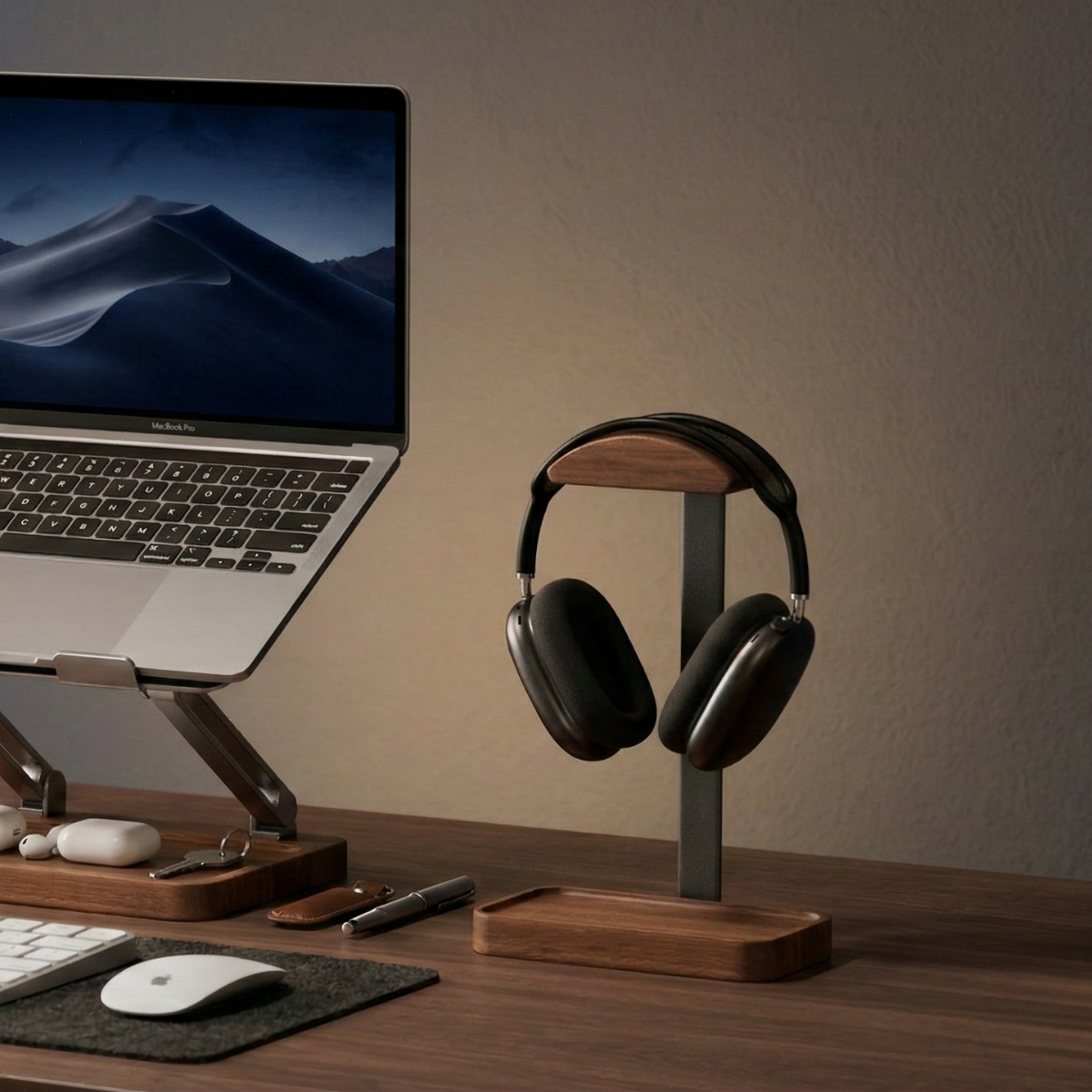
A wooden laptop stand changes how your laptop sits on the desk: a little higher and tilted toward you, raised to eye level, or stored upright and closed beside a monitor. Those are three different jobs, and the right stand depends on which one you need.
Short on time? Compare all three styles in the Musowood laptop stand collection. If you already know you want upright storage, start with How to Choose a Vertical Laptop Stand.
This guide walks through the three common types of wooden laptop stand, what to measure before you order, and how each one fits into a real desk setup.
First, decide how you use your laptop
Most people fall into one of three groups. Be honest about which one describes a normal workday, not an ideal one.
- You type on the laptop keyboard all day. You want a gentle tilt and some airflow, but not so much height that typing becomes awkward. A low wooden riser fits this best.
- You use the laptop as a second screen with an external keyboard. You want the screen higher and adjustable. An adjustable stand fits this best.
- You keep the laptop closed and work on an external monitor. You want the laptop out of the way. A vertical stand fits this best.
Once you know the job, the rest of the decision is mostly about measurements and materials.
Type 1: Low wooden risers for an open laptop
A pair of wooden risers sits under the back edge of your laptop and lifts it into a slight slope. There are no hinges or knobs. The appeal is simplicity: they are slim, quiet on the desk, and easy to move or pack in a bag.
The Musowood Wooden Laptop Stand works this way. It is offered in walnut or cherry, and each support measures 26.2 × 2 × 5 cm / 10.3 × 0.8 × 2 in. Because it is two separate pieces, you set the spacing to match your laptop base.

Good fit if: you still type on the built-in keyboard, want a cleaner look than a metal stand, and do not need to change height.
Keep in mind: the profile is fixed. It will not bring the screen to eye level, and it has no tilt adjustment. Check that both supports meet your laptop base on solid areas and leave the ports and vents you use clear.
Type 2: Adjustable stands for screen height
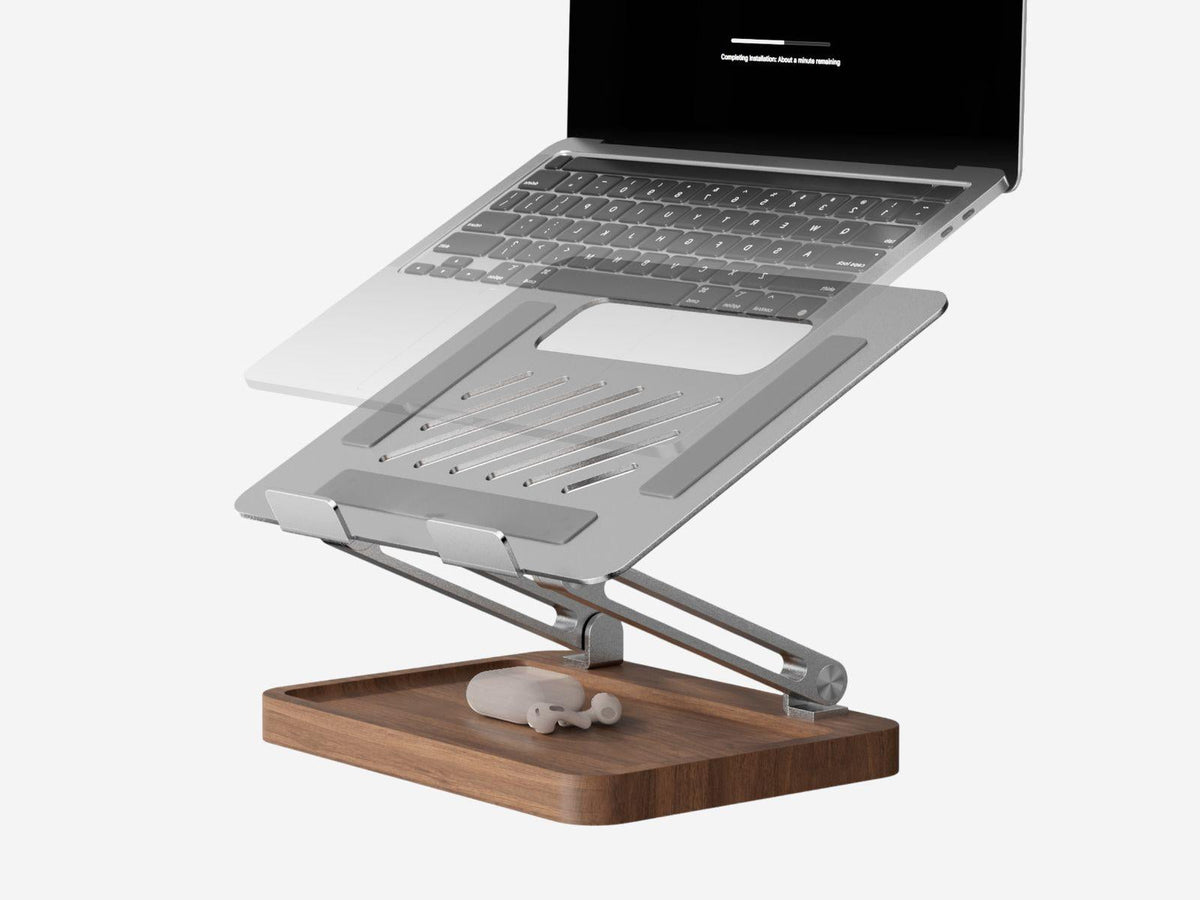
If your neck tells you the screen is too low, height matters more than looks. An adjustable stand lets you raise the screen and set the angle, which usually means pairing the laptop with an external keyboard and mouse.
The Musowood Adjustable Laptop Stand combines a walnut wood base with a sandblasted aluminum support. It uses a two-axis design for height and angle and is rated for laptops up to about 5 kg (11 lb). The open frame leaves space under the laptop for air to move.

Good fit if: you join video calls, share a screen with someone beside you, or want the laptop screen closer to the height of a monitor.
Keep in mind: once the laptop is raised, typing on its keyboard becomes uncomfortable for long sessions. Plan for a separate keyboard and mouse, and leave room in front of the stand for them.
Type 3: Vertical stands for a closed laptop
When you work mostly on an external monitor, an open laptop takes up a lot of desk for a screen you barely look at. A vertical stand holds the closed laptop upright, like a book on a shelf, and frees that space.
The Musowood Walnut Vertical Laptop Stand uses walnut and aluminum with felt-lined sides. Its slot adjusts from 14 to 30.5 mm (0.55–1.2 in). That range is the slot opening, so measure your closed laptop with any case attached and set the opening a little wider for easy placement.

Good fit if: you run a clamshell setup with a monitor, keyboard, and mouse, and you want the laptop parked neatly instead of lying flat.
Keep in mind: you will not use the laptop screen while it is docked. Check cable reach to the ports on the bottom edge of the stand, and consider ventilation guidance from your laptop maker. For a deeper comparison, read Vertical Laptop Stand vs Laptop Riser.
What to measure before you buy
A few minutes with a tape measure prevents most returns.
- Laptop base size. Width and depth of the closed laptop. For risers, note where the rubber feet and vents sit.
- Closed thickness with case. Essential for vertical stands. Measure at the thickest point.
- Weight. Compare your laptop weight with the stand's listed capacity, especially for adjustable stands.
- Desk depth. An adjustable stand plus a keyboard in front needs more depth than a laptop alone.
- Port and cable positions. Make sure the stand does not block the ports you plug into every day.
Why choose wood over plastic or all-aluminum?
Function comes first, but a laptop stand sits in your line of sight for hours. Wood brings warmth and texture to a desk full of screens and cables, and it pairs naturally with other wooden pieces.
Walnut is the most common choice for a darker, richer tone. Cherry is lighter and warms up gradually over time. If the rest of your desk already uses one wood, matching it usually looks calmer than mixing several. Our materials page explains the woods we use and how to care for them.
Building the rest of the setup
A laptop stand is often the first upgrade, not the last. Once the laptop is sorted, the next questions tend to be about the monitor, small items, and cables.
- If you use one or two monitors, a desk shelf can lift them and create storage underneath. See How to Choose a Desk Shelf for Two Monitors.
- For a compact workspace, Small Desk Setup: Laptop and Monitor covers layouts that work in tight spaces.
- For a full look at matching stands, trays, and organizers, read our Walnut Desk Setup guide or browse Walnut Desk Essentials.
Frequently asked questions
Is a wooden laptop stand stable enough for daily use?
A well-made wooden stand is stable on a level desk when the laptop sits within its listed size and weight. For adjustable stands, check the stated capacity; the Musowood adjustable stand is listed for laptops up to about 5 kg (11 lb).
Does a laptop stand help with cooling?
Raising the back of a laptop or using an open frame leaves more space under the base for air. How much it helps depends on your laptop's vent layout, so follow your manufacturer's guidance.
Will a vertical stand fit my MacBook?
The Musowood vertical stand is listed as compatible with most laptops, including MacBook Air and 14-inch and 16-inch MacBook Pro. Its slot adjusts from 14 to 30.5 mm, so measure your closed laptop with its case before ordering.
Do I need an external keyboard with a laptop stand?
Not with a low riser, since the tilt is gentle. With an adjustable stand raised toward eye level, an external keyboard and mouse are usually more comfortable for longer sessions.
What is the shipping and return policy?
Orders to the U.S. over $29 ship free, and return requests are accepted within 30 days. See our Shipping Policy and Refund Policy for details.
A quick checklist
- Decide the job: gentle tilt, screen height, or closed storage.
- Measure laptop base, closed thickness with case, and weight.
- Check desk depth and cable reach.
- Pick a wood tone that matches the rest of your desk.
When you are ready, compare the options side by side in the wooden laptop stand collection.



Leave a comment
This site is protected by hCaptcha and the hCaptcha Privacy Policy and Terms of Service apply.